

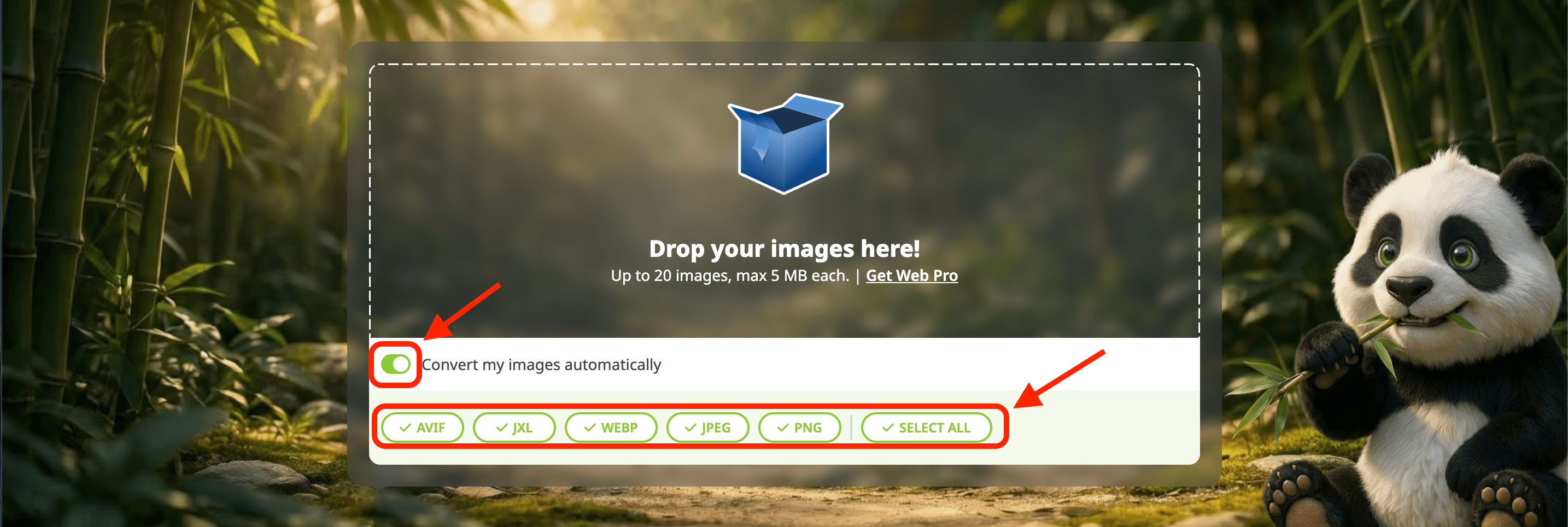
1. Turn on the conversion toggle
Click the toggle “Convert my images automatically”
Select the image format(s) you want to convert your image to, options include AVIF, JXL, WebP, JPEG, and PNG.
Tip: If you are just looking for the smallest images and don't care about format type, you can choose “Select all” to have your images converted to all five of our available formats.
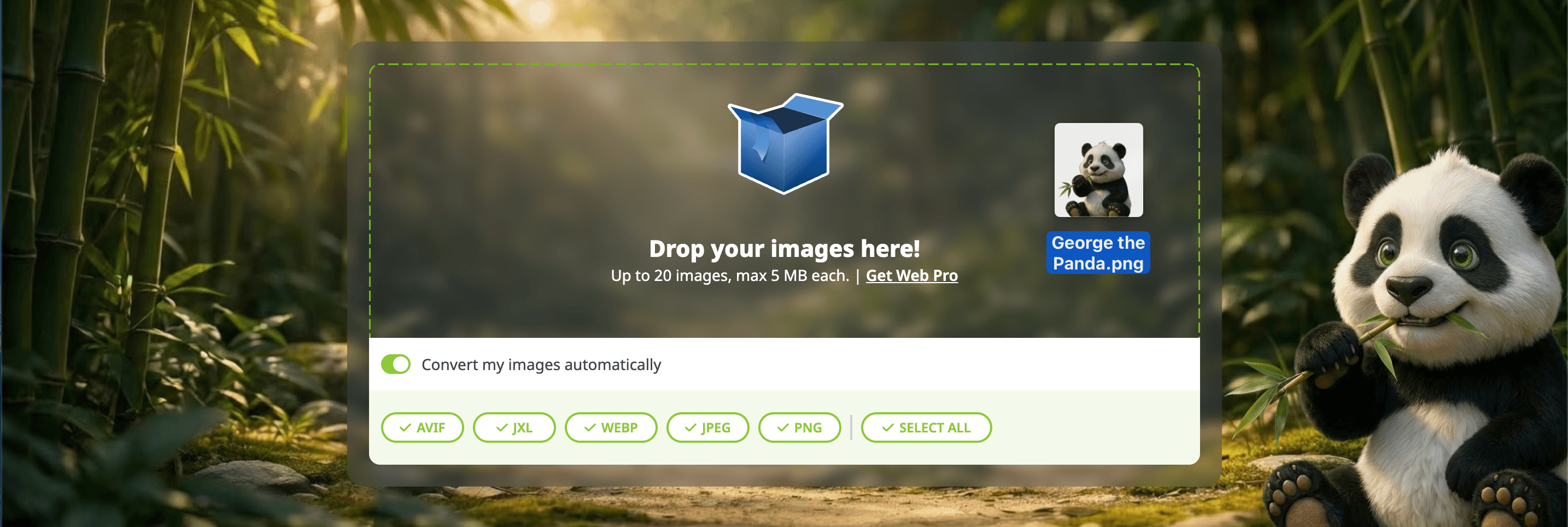
2. Drop your images in the box
Or click on the box to select images from your device.
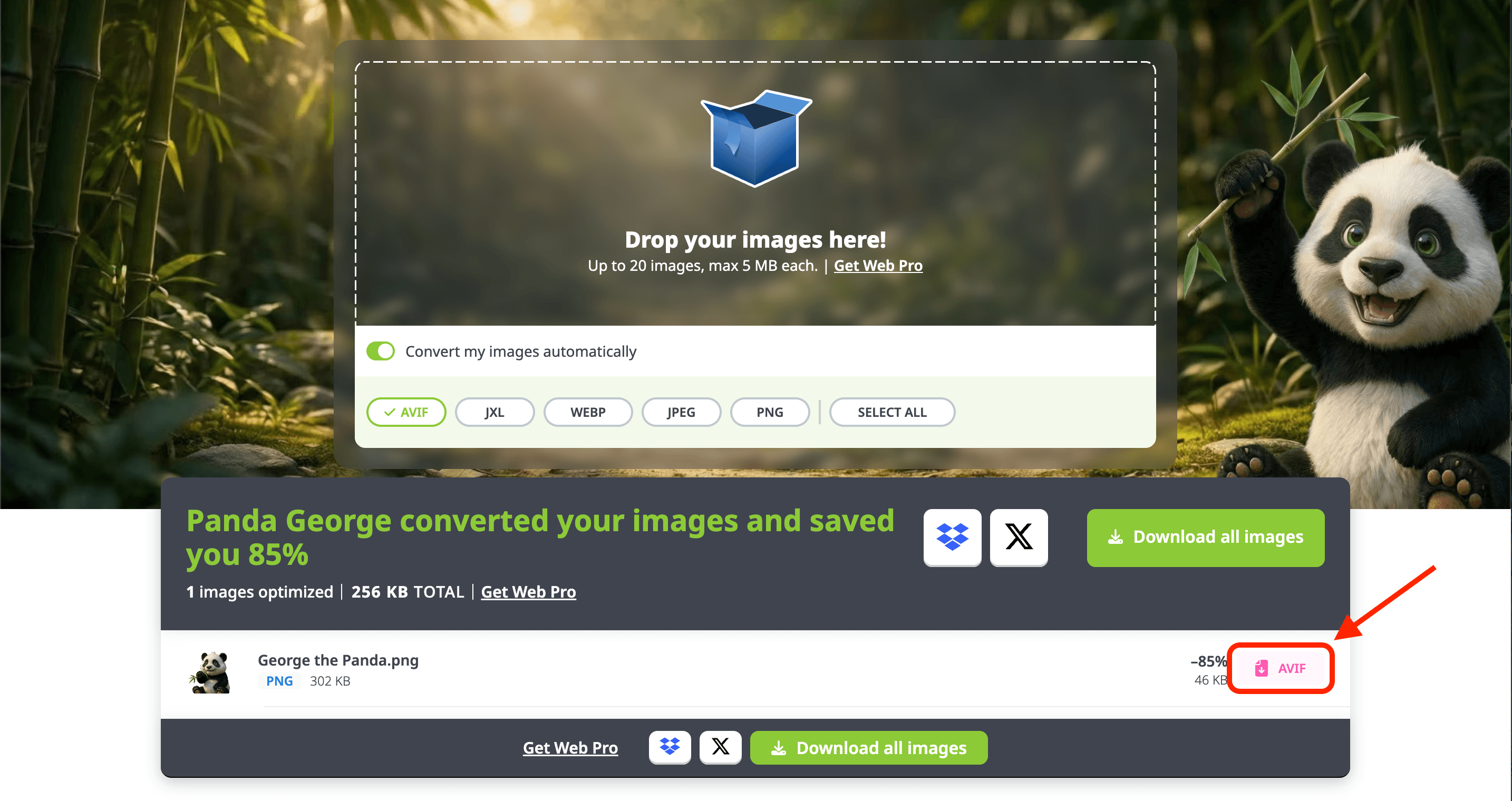
3. Download your images
If you chose one format to convert to, you can simply click the format button to download the image.
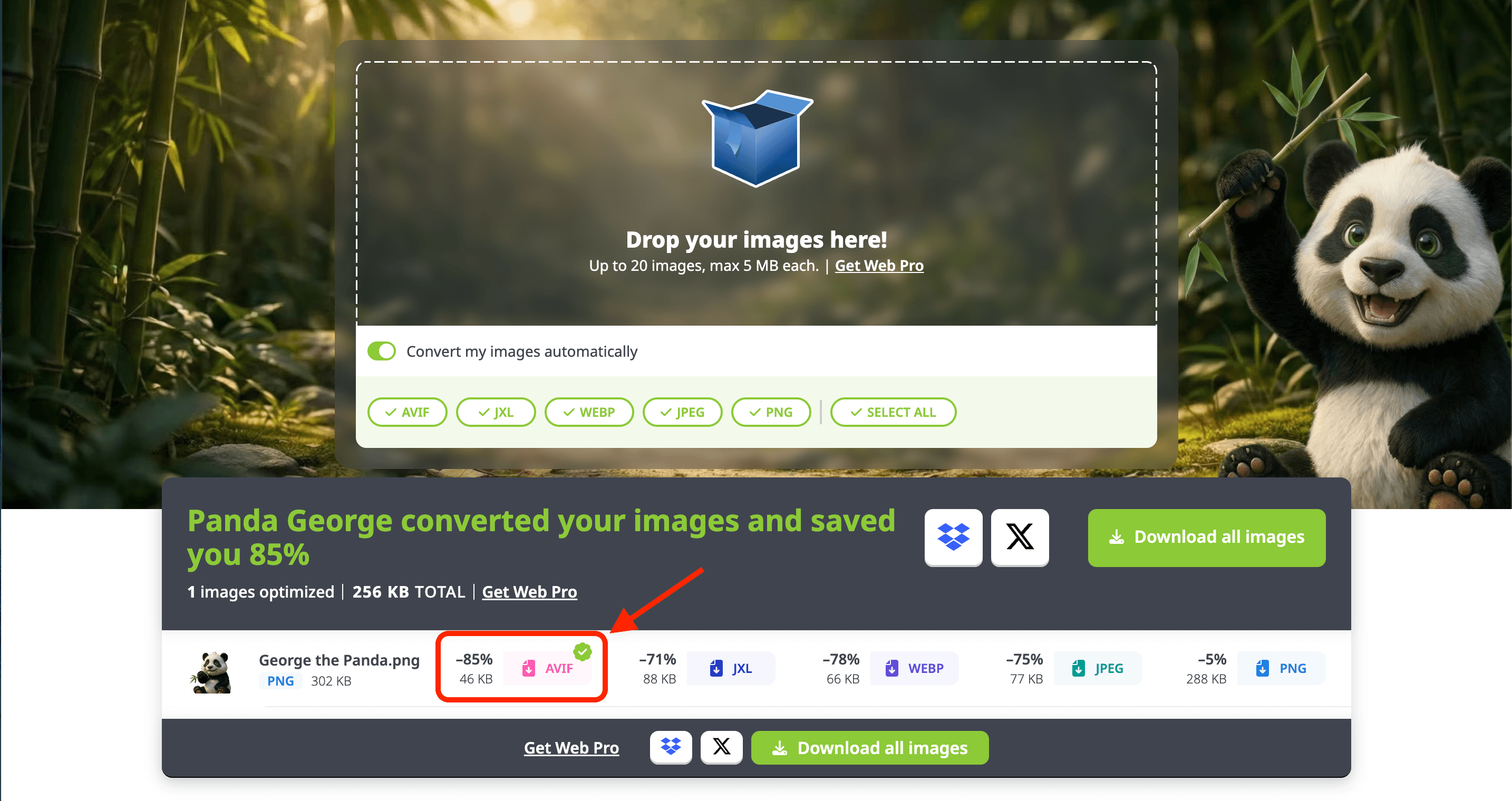
If you select multiple formats, a green checkmark will be in the top right of the format that is the smallest for your photo.
You can either download only the format you like, or you can select “Download all images” to get all of them downloaded.
4. The converted image is now downloaded on your device
You can now open the new converted file on your device.
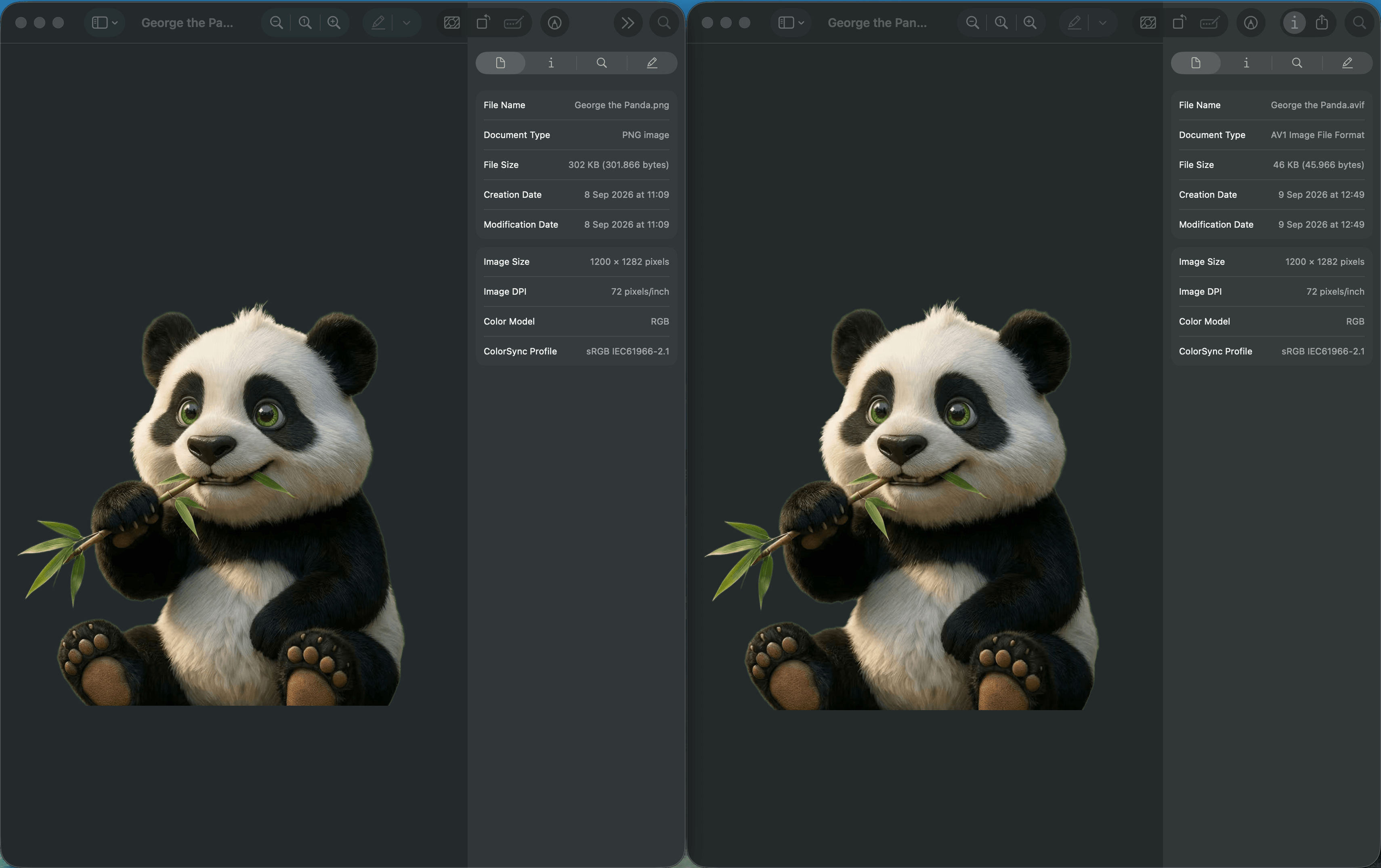
Comparing the original PNG (left) with the converted AVIF file (right), the file size is now reduced from 302 KB to 46 KB (85% decrease), and the image still looks great without visible quality loss!
Want to learn more about image compression? You can find relevant information on the Tinify Blog.
Do you have other questions? You can find more information on our Knowledge Base or contact our support via email.